Murphy's Law states: "Anything that can go wrong will go wrong." This is especially true and especially painful when there is an audience involved.
|
Nicholas Bate is, among other things, a successful author and business consultant. A recent post on his blog not only offered a useful and refreshingly pragmatic pre-meeting checklist, it also dovetailed nicely with a recent post of my own. Nicolas and I both strongly feel that it’s crucial to arrive at the presentation venue early enough to make sure every part of the environment you are about to preform in is in an optimal state. If the first time you step into the meeting room is two minutes before you step up to the lectern, you better be prepared for any number of things to go wrong. The story Nicholas was kind enough to share illustrates how showing up the day before made it possible to get a little extra sleep:
As you will know from Lee’s posts if there is one thing which enhances your chances of a great presentation, it’s preparation. And that’s certainly something I am committed to when I am delivering a work-shop or key-note. The preparation has two parts, ideally. Part 1: a quick ‘recce’ of the room the previous day/evening just to identify any surprises/challenges and get those resolved. Part 2 is getting into the room prior to the delegates to set up and get all perfect for them. This ritual has become tried and tested for me and hasn’t let me down, identifying many problems with enough time for them to be resolved.
Several years ago I was doing a lot of international travel and had just flown back from Boston, USA to the UK (my home). Poor diary management on my part meant I arrived back in the UK the day before my next work-shop. I arrived late at the location, gave the room a once-over and with the hotel staff sorted a lot of issues. Then went to bed exhausted, knowing we started at 0900. I awoke at 0840 having slept through two alarms! I jumped up, showered and grabbed my materials, ran down the corridor and arrived in the room at 0855. We started on time at 0900. The work-shop went brilliantly.
The lessons?
- The prior-day check up saved my skin. It’s worth doing if you can.
- Jet-lag can cause extreme exhaustion: set plenty of alarms!
- Manage your diary to avoid back-to-back big events: your mind/body needs some down-time.
- BUT here’s the real lesson. I had no time to do my normal prep on that morning, run through my notes etc., but it went went really well, anyway-which was a real lesson to me that we can over-prepare. That is, if we basically know our stuff (which we should do, of course!) a ‘flow’ state can be reached where by people get an ‘even better’ experience: more real, more connected. Athletes call this being ‘in the zone’ of course.
Something to think about!
Thanks to Lee for inviting me to post
I usually make a point of trying to take a some time to chat with the people who work for the venue when I’m on site. I like to hear their stories about the unusual things they’ve seen happen in the meeting rooms. It never ceases to amaze me how often their stories are about speakers that come bustling into the meeting room minutes before they are scheduled to go on (which I guess means it actually isn’t all that unusual). They hand off their slides to the AV crew on a thumb drive hoping against hope that they will project correctly. They stop for a second so the sound guy can slap on a lavalier (sound check, who has time for a sound check?). They have no time to familiarize themselves with the remote control, the stage, the podium. At this point it’s far too late to change or fix anything that might detract from the audience’s experience. This is the situation Nicholas would have inadvertently been in if he hadn’t taken time to check things out the night before.
Your turn:
Has there ever been a time that you wished there was more time devoted to on-site, pre-presentation preparation? Were you ever really, really glad you had a chance to spend extra preparing? Please share you experiences in a comment to this post.
I’ve been blessed with both a pessimistic nature and a vivid imagination so it’s not surprising that I consider the creating and updating of contingency plans one of the best parts of my job.
Trying to anticipate everything that can possibly go wrong during any part of the presentation process is pretty standard stuff in our industry and we all know that it’s impossible to prevent or control every eventuality.
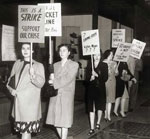 This weekend’s Labor Day holiday brings to mind one of those challenging contingencies that can’t be prevented by a mere presenter or their support team and that is equally difficult for them to control. One that (so far) I’ve been fortunate enough to avoid — a strike or work stoppage happening at the presentation venue. This weekend’s Labor Day holiday brings to mind one of those challenging contingencies that can’t be prevented by a mere presenter or their support team and that is equally difficult for them to control. One that (so far) I’ve been fortunate enough to avoid — a strike or work stoppage happening at the presentation venue.
There was a strike like this in Boston last June where a large association meeting was taking place. Apparently there weren’t any repercussions for the meeting or the presenters but it would be interesting to know what plans they made when it became clear that the strike could become an issue.
Have you ever had to deal with a strike during a meeting or presentation? If so, please add a comment below and share with us what happened and how you were able to deal with it.
I hope my American readers enjoy their holiday weekend.
“If you’re early, you’re on time. If you’re on time, you’re late. If you’re late, you’re replaced.”
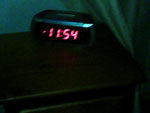 Every boss I’ve had since I got into the business considered call time to be holy writ. As in (imagine a big, echoing, Monty Python-esque voice of God) “Thou Shall NOT Be Late For Call Time!” Especially on show day. That’s all fine and dandy. Problem is, call time is often very early in the morning and you most likely stayed up very late putting the finishing touches on things (slides, sound check, six pack, etc.). Every boss I’ve had since I got into the business considered call time to be holy writ. As in (imagine a big, echoing, Monty Python-esque voice of God) “Thou Shall NOT Be Late For Call Time!” Especially on show day. That’s all fine and dandy. Problem is, call time is often very early in the morning and you most likely stayed up very late putting the finishing touches on things (slides, sound check, six pack, etc.).
Then you need to deal with the alarm clock provided by the hotel. Setting an unfamiliar alarm clock can be a dicey proposition to begin with. But have you noticed how the people who procure room furnishings for major hotel chains all seem to have a fetish for really unusual, hard-to-decipher alarm clocks? How about this little number that Mark Hurst ran into recently. It’s so difficult to set, the hotel printed up special instruction cards. Guess they got a lot of complaints. There are five steps to setting the alarm, seven if you count steps that are repeated. I can see how it might be easy to accidentally set the alarm for 5:00 pm instead of 5:00 am. This happened to a co-worker a few years ago. He felt more than a little sheepish when he final made it downstairs to the ballroom. His boss was kind enough to provide him with a personal wake up call for the remainder of our stay. The rest of us were kind enough to “accidentally” set our phone and watch alarms to go off every one and a while just to rub it in.
I know what you’re thinking. Just call down to the front desk for and request a good old fashion wake up call. Nice idea, but due to increasing pressure to save money, more and more hotels are switching to automated wake up call systems that guests program themselves using the telephone’s keypad. When you’re already half asleep, these can be as dicey as the overly fancy alarm clock, without any visual confirmation that you might have actually gotten it right. And even when you do talk to a real human, there’s a good possibility that the wake up call won’t actually happen. Especially when you calling at 3:00 am and it sounds like you woke the desk clerk from his own deep, restorative sleep. Traditional wake up calls can’t be counted on and should be considered only a backup at best.
You also need to remember that both the automated wake up call system, as well as the bedside alarm clock, are vulnerable to power outages.
The best bet is to use both of these methods, but rely on your own devices to be absolutely secure in your ability to regain consciousness in time to keep the boss happy. This means having your own travel alarm clock and/or setting the alarm on your phone.
Then you need to set up a phone circle:
- Make a list of everyone who needs to be awake
- Decide on a wake up window (let’s say 4:00 to 4:15 am for example.)
- Starting at 4:00 am each person calls the next person on the list and confirms they are awake and conscious enough to make it to the shower. The last person on the list is responsible for calling the first person.
- At 4:15, If you’re awake and made your call, but haven’t heard from the person above you on the list, you are responsible for reversing the circle and waking the person who was supposed to wake you. The calls should continue in the revered direction until they reach the person who broke the original circle.
Related Resources:
Missed wakeup call – Should I be compensated? –Great discussion on a frequent flyer forum about the wake up call problem. Confirms that the no hotel guarantees waking you up at a particular time and offers some other interesting backsup systems: “I don’t know if this is myth, but I read that American Indians used pre-bed water as an alarm. You know, 2 glasses to get up at 5, 3 glasses to get up at 4, etc. Of course, if you’re groggy and inclined to go back to bed after using the toilet, that doesn’t work.”
Wakerupper — “Wakerupper aims to make telephone alerting as easy and inexpensive as possible by enabling users to schedule reminder calls to telephones in the United States and Canada in one step, on one simple web page – for free. Enter the number of the phone you would like to be called on, the time you want to receive the call, and an optional 140-character reminder message and you will receive a call from Wakerupper at the time you specified.”
Your Turn:
Have you ever missed a call time? If so, fess up by adding a comment to this post. Hopefully the story you share might help others avoid facing the same situation. We would also love to hear about any other wake up system you might have come up with or heard about someone else using.
 “When you have plans, roles, and responsibilities in place, you will reap the rewards many times over if a disaster actually occurs. Rather than scrambling about to figure out who should do what, you can calmly and effectively monitor what is happening. If key personnel are away, you can adjust the roles and responsibilities as needed. You can decide what should be communicated, and when, to the organization.” “When you have plans, roles, and responsibilities in place, you will reap the rewards many times over if a disaster actually occurs. Rather than scrambling about to figure out who should do what, you can calmly and effectively monitor what is happening. If key personnel are away, you can adjust the roles and responsibilities as needed. You can decide what should be communicated, and when, to the organization.”
(“Intranet Librarian,” by Darlene Fichter, Online, March/April 2005, p. 51-53. via http://nnlm.gov/ep/2006/10/27/disaster-planning-quotation/)
Rusty: You scared?
Linus: You suicidal?
Rusty: Only in the morning.
(Ocean’s Eleven)
Sometimes, the thing that is going to go wrong with your presentation actually starts going wrong long before you step up to the lectern. Sometimes, a disaster is sneaking up on you while your sleeping the night away in tranquil ignorance. If you’re lucky, you have some time to fully wake up, shower, eat and get yourself to the venue before the day begins go south. If you’re less lucky, you’ll wake up, ready to face the day, and it will suddenly and dreadfully become apparent that your recent unconsciousness was a blessing. And even though your still in bed, it’s already too late to do anything about it.
 Public speaking presentation skills coach Lisa Braithwaite has over fifteen years professional public speaking experience and is fortunate enough to only have had one of so I’m willing to assume she’s no stranger to this sort of mornings. In the story she has kindly shared with us today, she describes how it went for her and why it’s so important for us to gut it out when we would rather just give in. Public speaking presentation skills coach Lisa Braithwaite has over fifteen years professional public speaking experience and is fortunate enough to only have had one of so I’m willing to assume she’s no stranger to this sort of mornings. In the story she has kindly shared with us today, she describes how it went for her and why it’s so important for us to gut it out when we would rather just give in.
For six years I worked for a domestic violence organization. Part of my job was to speak to high school students about healthy and unhealthy relationships. I usually gave 3-4 presentations a day and made the rounds to all the schools in the district each semester.
One day, I was scheduled to give several presentations in a row. I woke up with terrible flu symptoms: I was weak, I had a fever, my head was pounding, and I was seriously debilitated. I called the school to cancel my engagement.
They called the teacher to the phone — the substitute teacher, that is. The substitute teacher who had no lesson plan because she had been expecting me. Even worse, the students — who normally sat at computers in their business class — were displaced for the day and had to meet in the cafeteria. I faced a teacher with no lesson plan, and students with no computers. The teacher begged and pleaded with me to show up, and I had no backup speaker. So I did.
I filled a water bottle with herbal tinctures and headed over to the school. My energy level was nowhere near my normal capacity, but I dug deep and gave them everything I had. I powered echinacea during the breaks and held it together until the classes were over.
Now, I don’t recommend infecting people with viruses. This was a special instance, a difficult decision, a case of “the show must go on.”
You may be having a bad hair day. You may not feel your best. You may have stubbed your toe, hammered your thumb and squirted mustard down your shirt. Guess what: the audience doesn’t care!
Your job is always to put the audience first. No matter what. If you show up with a frown and a slouch, you will not be successful in connecting with your audience. You will not be successful in getting your message across. You will not be successful, period. Furthermore, you won’t be invited back, you won’t be referred to other organizations, and you won’t get that positive word of mouth that’s so critical for a speaker.
So suck it up. Be passionate even if you don’t feel passionate. Engage your audience even if you want to curl up in bed with a box of tissues. It’s your responsibility to give everything you’ve got. You’ll feel so much better if you put yourself out there. Maybe not at that moment, but later for sure.
I want to point out that Lisa’s wake up call doesn’t just apply to the folks behind the lectern. It’s also crucial that everyone who makes it possible for the presenter to present needs to be there and as ready to roll as much as possible. Even if you’re fighting the flu, food poisoning, a difficult client or plain, old fashioned, run-of-the-mill, early morning ennui. Sometimes you just need to fake it until you make it.
Don’t forget to visit Lisa’s blog, Speak Schmeak.
Related Resources:
One of the few good reasons for not coming in and giving your all — That Brain-Eating Virus.
Your Turn:
I just installed the shiny new Disqus 2.0 comment system on BML. Why don’t you help break it in by leaving a comment describing a time when you, or someone you know, had to force themselves to not just turn around and go back to bed because of illness or other serious presentation problem.
 As you may remember from an earlier post, my first real job was at a McDonald’s. Started the day after I turned sixteen. You might also remember that I got into some trouble because I didn’t deal with burning my fingers in way that had approval from corporate headquarters. They were funny about stuff like that. As you may remember from an earlier post, my first real job was at a McDonald’s. Started the day after I turned sixteen. You might also remember that I got into some trouble because I didn’t deal with burning my fingers in way that had approval from corporate headquarters. They were funny about stuff like that.
They were also very, very specific about how every product that crossed the greasy steel counter — the fries, the milkshake, the secretive big mac, even the most humble hamburger –Â came into being.
 It began with the burger flipper’s tools-of-the-trade. They were to be arranged just so. You always put the spatula in one specific place. The bins with the pickles had to be all the way to the left with bin holding the now reconstituted. formally dehydrated onions were always next. The strange thumb-controlled funnel thingy that deposited exactly the right amount of ketchup was always in exactly in the same place, in it’s holder, on the end of the counter. The mustard funnel thingy was always to its right. At least that’s the way they did it back in the eighties. It began with the burger flipper’s tools-of-the-trade. They were to be arranged just so. You always put the spatula in one specific place. The bins with the pickles had to be all the way to the left with bin holding the now reconstituted. formally dehydrated onions were always next. The strange thumb-controlled funnel thingy that deposited exactly the right amount of ketchup was always in exactly in the same place, in it’s holder, on the end of the counter. The mustard funnel thingy was always to its right. At least that’s the way they did it back in the eighties.
In fact, they were even more picky, if you can believe it, with the way you actually put the burgers together. There were videos for God’s sake. Written tests.
The one part of the intricate construction process that’s stuck with me all these years is the importance of putting the mustard on the bun before the ketchup. If I remember correctly, they told us that this kept the mustard from coming into contact with the meat which burned it chemically and gave it a funny taste. Who knew?
And pickle slide placement, don’t get me started on pickle slice placement.
All this formality might seem silly, but being forced to be highly regimented in something as simple as making a hamburger was actually very useful. It was great when you were suddenly in the middle of a huge Saturday afternoon rush and everything was exactly where it was supposed to be and it almost became unnecessary to think about what you had to do next. As things got busier, and the shift ground on and on, and the brain got more tired, it was possible to enter a zone where the entire process flowed effortlessly out of a combination of muscle memory and mental habit.
What the heck does this have to do with presenting?
In the grand scheme of things, providing a good presentation experience is almost always more important than providing a good hamburger. So if someone is willing to put all that time, effort and thought into the process of serving up a Whopper, shouldn’t you be willing to apply a little additional rigor to thinking about how you go about preparing to do what you need to do as a presenter (or as someone helping a presenter)?
Are there parts of your preparation process that you haven’t given any thought to at all?
There’s a crucial file on your laptop, the PowerPoint for Monday’s presentation. Do you know exactly where it is? Is it on your desktop? If it in a folder, which one? Can you instantly and easily distinguish it from any other file that might be in the same folder? Are you absolutely certain you have the most current version?
You’re given a couple hours at most to set up. And the room layout doesn’t come close to matching the diagram they emailed (you didn’t do a site visit?) and you need to put the short throw lens into the projector. Quickly. Do you know exactly which case it’s in? Is it still out in the truck? You’re probably going to need a screw driver. Where is it?
Do you have a documented (or at least habitual) setup routine that will help save your butt when everything else is going completely to hell in a hand basket? Like that time. You remember. The snowstorm? The delayed flight? Getting to the hotel two hours before call time? Stiff necked, sleep deprived and brain dead but the show still had to go on.
Have a plan, have a routine, know how to find exactly what you need exactly when you need to find it. Or be prepared to find yourself going from being under fire to working the deep fryer.
 A couple weeks ago, I wrote about a time when the simplest of technologies, something we rarely give a second thought, gaffer tape, unexpectedly failed to do its job and caused a great deal of trouble. Geetesh Bajaj (an Microsoft PowerPoint MVP who also runs the incredibly useful site Indezine — “a platform for PowerPoint presentations, presentation software, image editing and clip media”) has been kind enough to share another story that again strongly suggests we need to think about even our humblest tools a little more often and a little more rigorously: A couple weeks ago, I wrote about a time when the simplest of technologies, something we rarely give a second thought, gaffer tape, unexpectedly failed to do its job and caused a great deal of trouble. Geetesh Bajaj (an Microsoft PowerPoint MVP who also runs the incredibly useful site Indezine — “a platform for PowerPoint presentations, presentation software, image editing and clip media”) has been kind enough to share another story that again strongly suggests we need to think about even our humblest tools a little more often and a little more rigorously:
There are many things you can do to avoid presentation disasters – yet there’s always something new that you learn each day.
When I got a new MacBook Pro with OS X Leopard, I knew I wanted to use this machine for my next presentation. Now my next presentation happened to include a training session on Microsoft PowerPoint 2007 and my entire audience was working on a Microsoft Windows platform (and not the Mac). Unperturbed, I installed a copy of Windows Vista on a new partition created by Boot Camp. Everything worked great – I also had PowerPoint 2007 working on Vista and it seemed to be working so much quicker than my older laptop. When everything works so flawlessly at the first go, you know there’s something wrong you have missed out somewhere!
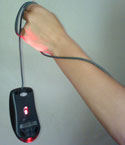 Well, that something ended up being the right-click option. The MacBook Pro has no right-click button. I could plug in a regular two-button mouse but it seemed too much to do when I already had the receiver for my remote plugged in – and for some reason, the mouse and the remote were not too happy with each other. It wasn’t a happy thought to use my older laptop again – and at this point of time, the older machine seemed like an archaic dinosaur that was so slow (funny how perceptions change in one day). Well, that something ended up being the right-click option. The MacBook Pro has no right-click button. I could plug in a regular two-button mouse but it seemed too much to do when I already had the receiver for my remote plugged in – and for some reason, the mouse and the remote were not too happy with each other. It wasn’t a happy thought to use my older laptop again – and at this point of time, the older machine seemed like an archaic dinosaur that was so slow (funny how perceptions change in one day).
Trust me – it’s not too easy to do advanced tasks in PowerPoint 2007 without the right-click – and even Shift + F10 wouldn’t work as a right-click here – the equivalent on the MacBook Pro was Fn + Shift + F10. By the time I managed to press all those three buttons, my cursor was elsewhere.
Luckily, the Internet saved me – a quick search got me pages where there were many, many users who faced the same problem. One user recommended a free program called Apple Mouse – this lets you Ctrl-click to simulate a right click. One quick download and five minutes later, everything worked great again.
So what’s the lesson I learnt here? That’s got to be that one needs to test all the obvious and unobvious issues before using them in a presentation environment. Imagine you are presenting now, and switch on your laptop and do all tasks you might have to do later. Even if you are in another city, time zone, or continent – it’s a good idea to use the same combination of presentation, laptop, and remote to test the flow. And even if the projector may be different, do plug it in if you have access to one.
We normally check the projections, the room, the lighting, even the cables and the sound systems. But for all you know, there might be a problem area that’s not as obvious! And maybe that’s staring at you now.
 Laura Bergells has been active in internet marketing since before most people realized that marketing on the internet was possible. She’s given many presentations and has witnessed many more. Her highly-regarded blog, More than PowerPoint… has been going strong for five years now. She also happens to be a really terrific storyteller and was kind enough to share the following beverage meets business nightmare: Laura Bergells has been active in internet marketing since before most people realized that marketing on the internet was possible. She’s given many presentations and has witnessed many more. Her highly-regarded blog, More than PowerPoint… has been going strong for five years now. She also happens to be a really terrific storyteller and was kind enough to share the following beverage meets business nightmare:
Years ago, my boss nervously entrusted me to give an important presentation. My boss was nervous for two reasons:
1) I would be presenting our project for final approval to the ultimate decision maker — the VP of Investor Relations at our company’s our largest client.
2) I have a flamboyant style and goofy sense of humor.
Now, I hadn’t yet met the VP, but knew her by reputation. She is impeccably poised and polished – a highly sophisticated intellectual.
Of course, I know there’s a time and place for goofy humor — and this wasn’t it. Nonetheless, my anxious boss saw fit to lecture me:
“She doesn’t suffer fools, Laura. So reign in your personality. Dial it down. This is our only chance, so don’t blow it.”
Armed with that oh-so special warning, how could anything go wrong? Jinxed, I tell you!
I drive 2 hours for the meeting. When I arrive, our client is on the phone & tells me she’ll be with me in five. I walk down a narrow hall to find a washroom to refresh myself.
As I do, a man with 2 steaming coffees in his hands walks briskly towards me. However, his head is turned over his shoulder and he’s yelling to someone far behind him.
Twelve ounces of scalding coffee hits the front of my white blouse. I howl in pain and run to the washroom as the man tries to initiate a conversation about how sorry he is.
I could care less about how sorry he is. I have bigger issues — burning skin, ruined shirt, no change of clothes, miles from home, an important presentation to deliver in 5 minutes, a nervous boss, and a VP who doesn’t like fools.
With all of my problems spinning in my head, I spend 5 minutes in the washroom failing to repair the damage to my skin and blouse. I come out looking like a try-out for the world’s worst wet T-shirt contest.
Taking a breath, I march into the VP’s office. I grin idiotically through the pain and cheerfully announce,
“Well, I’m back!”
Her mouth drops. She asks what the hell happened. When I explain, she is filled with nothing but pity for me. She even offers to loan me one of her shirts (She’s 5 foot-nothing, I’m 6-foot-one. I thank her, but explain that it probably wouldn’t work out.)
I go on to give the presentation, looking like a hot, disheveled tramp instead of a polished professional.
I made the sale.
Pity sale! But I deserved it!
And more importantly, the woman and I are still friends to this day.
Turns out that yes, she’s a polished, sophisticated intellectual — but she’s human, too. People tolerate mistakes better than our frazzled imaginations let us believe.
But since then, I’ve learned to ALWAYS travel with a change of clothes…just in case!
Since I’m more involved with the AV-slash-stage-crew type stuff, I tend to focus making sure the presentation files and the equipment is backed up in case something happens. Have to admit I haven’t given much thought to backing up wardrobe. But if my presenters are operating in an environment where there’s no such thing as a “pity sale” I guess I need start thinking about it. Having a wardrobe malfunction of any kind can seriously throw the confidence and perceived credibility of even the most experienced speaker.
Thanks again, Laura, for being brave enough to share this story with us. I’d like to remind the other readers of this site that they are welcomed and encouraged to submit any stories or anecdotes they have relating to presentation disaster or presentation disaster narrowly averted. You can be fully credited or remain safely anonymous, whichever you prefer. Come on folks, we all know you want to tell somebody what happened. Just click on the “Contact” tab above to get in touch.
 Lisa Lindgren, a fellow member of the InfoComm Presentations Council was kind enough to share a story about how PowerPoint 2007 recently foiled Murphy’s Law. Lisa reminds us of some important best practices and I have an observation or two of my own (surprise, surprise). Lisa Lindgren, a fellow member of the InfoComm Presentations Council was kind enough to share a story about how PowerPoint 2007 recently foiled Murphy’s Law. Lisa reminds us of some important best practices and I have an observation or two of my own (surprise, surprise).
We all know that we should test our slides and equipment in the actual setting prior to when the audience arrives and therefore, before it is too late to correct any problems. Sometimes that isn’t practical, but when you do make the extra effort, it can really be worth it.
I recently participated in a conference and was slated as the final speaker at lunch on the second day of the three-day event. The only time that I would be able to test anything in that room, was the day before after a general session. The timing would be tight before I had to be in another session, and I almost decided against forcing the issue. But I had used animations and some of the theme features from PowerPoint 2007, and the computer I would have to use for my presentation was running a different software version. My fear was that something wouldn’t translate correctly and my carefully timed effects wouldn’t work.
Well it turned out that the animations worked just fine. But what I hadn’t anticipated was that the room that would be used for lunch was very bright. I had chosen a dark background, which was striking on my laptop screen, and would have been effective in a dark room. But all that light simply washed out my visuals and you could barely see the photos or read the captions.
Not only was I able to change the background and save my presentation, I have to say that PowerPoint 2007 made this easier than I had ever expected. I simply chose a different theme from those provided in the standard package. Instantaneously the background was light and the text and accent colors reverted to being a contrasting dark color. . .all literally at the click of a key. In fact, the theme I chose subtly reinforced my message in style and I ended up with a stronger visual presentation than I had before.
So the lesson that I learned was that it really, truly is important to check your presentation on the actual computer in the actual room because unexpected things can and will go wrong. And I have a new appreciation for the positive aspects of the new themes in PowerPoint 2007.
PowerPoint has taken so much abuse the last couple years, isn’t it kind of refreshing when someone has something positive to say about it?
I’d like to stress a couple points made in Lisa’s story. First, if you’re going to present, get there early. Lisa put herself in a position to effectively deal with any problems that might have arisen with her presentation, or the venue, by making it a priority to test things out well in advance of the time her presentation was due to start. I understand that not every speaking opportunity is going to give you a chance to check things out an entire day ahead of time, but the more time you have to confirm everything is the way it needs to be (and to recover if it’s not) the better. Remember, if you’re not early, you’re late.
Second, it’s crucial that, like Lisa, you understand all the capabilities of the software you are using. A lot PowerPoint users only take time to learn the bare minimum necessary to do the typical tasks that come up on a day-to-day basis. This is a mistake. You not going to be able to use the PowerPoint function or feature that’s going to save you butt in an emergency situation if you don’t know it’s there. Take a class. Buy a book. At least take an hour or so on a slow Friday afternoon and methodically go through each item on each menu and find out what it does and how it does it. After all, no one thinks much of a carpenter who doesn’t know that a hammer can also be used to remove nails.
Your turn:
What’s your favorite little known PowerPoint function or feature that you love showing to people? Please feel free to share it with us in a comment to this post.
When you’re the slide guy, once all the presentations have been thoroughly PowerPointed and the meeting has started, they need to find something for you to do so you’re not just hanging around enjoying yourself. At least that was the case at an earlier point in my career. These days I’m also the AV guy and I get to show the slides as well as make them. I’m also the roadie, but that’s a different story.
I’m not even sure what you would have called what they had me doing back then. Production assistant maybe? I was wearing headphones, hanging at the front of the room herding speakers. The technical director and the rest of the crew communicated with the speakers through me once the meeting started. I was also responsible for giving each of them a quick visual check before they took the stage.
Ostensibly, I was making sure they took off their name badges and turned on their lavalier microphones. The badges needed to come off because the spotlights lighting the stage reflected off their badges and the flashing could be distracting for the audience. I was also told to discretely check for a couple other things — making sure flys were up, for instance (I kid you not).
Having someone to do this sort of stuff made things a lot easier for the speakers and let them focus on speaking, not on the necessary last-second minutiae. Unfortunately, not every event can provide this level of luxury. That means if your a presenter, you usually need to fill that role yourself.
Develop and memorize a very brief pre-presentation checklist, something you can quickly rattle off to yourself while you’re waiting to be introduced that captures all those little things that can make presenting difficult if overlooked or forgotten: zipper zipped, badge removed, water bottle, laser pointer, speaking notes, glasses, etc. Remind yourself to smile and make eye contact. Ritualize it. Make it a habit.
You may also want to think about a post-presentation checklist. Two quick suggestions to start the list off: put your badge back on and don’t forget to leave the remote control at the podium for the next speaker.
Related resources:
12 Tips For How to Relax Just Minutes Before You Speak — You might want to add a couple of these to you pre-presentations checklist.
Your turn:
In a comment to this post, let us know what other items would you put on your pre-presentation checklist.
|