Murphy's Law states: "Anything that can go wrong will go wrong." This is especially true and especially painful when there is an audience involved.
|
…to prevent presentation disaster later.
(Assuming you haven’t already done so.)
1) Make a boilerplate packing list:
 Leaving something behind is one of the surest ways to screw up your ability to present successfully. It’s also one of the most preventable. If you are involved in more than two or three presentations a year, you really gotta make sure you aren’t re-inventing the wheel each time you’re about to go on the road. Formalize your packing routine by making, and reusing, a boilerplate packing list. Leaving something behind is one of the surest ways to screw up your ability to present successfully. It’s also one of the most preventable. If you are involved in more than two or three presentations a year, you really gotta make sure you aren’t re-inventing the wheel each time you’re about to go on the road. Formalize your packing routine by making, and reusing, a boilerplate packing list.
Let’s face it, you’ve most likely already made this list. And made it. And made it again from scratch for every trip you’ve taken. Even though it’s really gratifying to do so, don’t aggressively scribbling out each item as it’s packed and don’t chuck out the used up list as you head for the door. Next time, just put a single line through each item so you can still read it, and leave it safely on your desk so it can be keyed into an Excel spreadsheet once you return.
You now have the first draft of a permanent, custom, validated packing list. This is going to be a living document and items will be added and removed on a regular basis as you remember things you forgot to include, as old tech is abandoned and as new tech is adopted (floppies to ZIP disks to flash drives). At least you now have a baseline list to start from for future trips and you can sleep well knowing that all of the essentials are covered.
And even if you’re not sleeping well (perhaps due to pulling an all-nighter finishing the PowerPoint), you can still do a good job of packing everything you need in spite of your sleep-deprived brain not working at peak efficiency.
This is a list which was taped inside my closet when I was reporting more or less steadily. The list enabled me to pack, without thinking, for any piece I was likely to do. … It should be clear that this was a list made by someone who prized control, yearned after momentum…
~Joan Didion, The White Album
2) Make a “must have” plan:
Once you have a really comprehensive packing list that’s gotten you through a couple presentations, print out a copy and take a good look at it. Highlight each item that’s critical to your presentation success — the things you absolutely cannot do without. It might be your passport, your projector, the cable that connects you laptop to other projectors. It will almost definitely be your slide files.
For everything you highlighted, all of your must haves, make sure you have a fool-proof, bullet-proof, weather-proof, everything-proof plan that guarantees it will be available when and where you need it.
The creative, problem-solving frame of mind necessary to save the day when one of your must haves is missing or malfunctioning can’t be reliably invoked when you’re in the high tension, on-site environment the day (or hour) of your presentation. Contingency plans are best made in the calm quiet of your office weeks or months before the event.
Your Turn:
Do you have a boilerplate packing list and a solid “must have” plan? Did one of these tools ever save you butt? Would you be willing to share the story?
 ©iStockphoto.com/bbeltman We’re experiencing our first real cold snap of the season here in the beautiful Philadelphia Metropolitan Area so it seems like a good time for a quick, weather-related warning/reminder.:
If your presentation equipment has been allowed to get very cold during transport (maybe because it’s been in your trunk instead of the nice toasty back seat for example), take it out it its case and give it plenty of time to warm up to room temperature before plugging it in and turning it on.
This is especially important for projectors. I’ve never seen it happen, but it’s not unheard of for a projector lamp to explode when going from being off and very cold to suddenly being on and very hot (betterlamp.com — see tip #4). This situation can create a nasty, expensive, dangerous mess that you do not want to experience.
And although there isn’t any danger of something exploding, you should take the same precaution with your other equipment. In the case of stuff like computers or switches, the problem will be an excess of moisture from condensation messing with the delicate electronic bits inside.
It’s probably safest to avoid letting your equipment get so cold in the first place if at all possible. In other words, take care of your projector and it will take care of you.
 ©iStockphoto.com/Gerville PowerPoint Ninja: 8 Tips for Effective Team PowerPoint Presentations — Great suggestions from someone who has obviously lived this situation. “When you’re working independently on your own PowerPoint slides, you have full control over the outcome of your presentation. Coordinating a PowerPoint presentation with other individuals introduces new challenges, which can frustrate even PowerPoint ninjas who are caught unprepared.”
Bridget M: Power Point for dummies, publishing for nit-wits — Things did not go well for this academic presenter. “The version of my presentation that was uploaded onto BB was not the final one…. It broke, I heard a bead bounce and hit the floor, then another.”
The Trap Room: Worst outcome from a missed cue — We need to remember that theater was, of course, the first form of presentation. This forum thread shows once again how many way there are for things to go wrong. Even for the professionals. For example: “My WORST fouled cue occured during a somber opening scene. The dramatic opening music automatically faded in the mini-disc cue, the actress began her quiet opening monologue and I pushed “pause” with the fader still up on the mixer. Yup, the deck had already auto-paused and the next recorded cue was a “toilet flush” now routed at full volume over the main speakers.”
Tod Maffin: The “3-3-3″ Pre-Event Client Calls — “I always make three phone calls to my speaking clients prior to the event.”
Speak Schmeak: I can’t hear you… — “At my networking event the other night, I noticed two problems that just about every speaker had with the microphone, and I want to pass this along as a quick reminder”
Execupundit.com: Crisis Prevention by Introspection — “Some not-so-obvious questions to avoid disaster”
washingtonpost.com: When Colleagues Talk Out of Turn — “What do you do about a constant interrupter? I’ve run into this situation in meetings, conference calls, etc. I can’t really say if the interrupter is being rude or just antsy. I find it to be extremely irritating, and it throws off my concentration, especially if I’m giving a presentation.”
The Intelligencer: District denies committee projector — “The Central Bucks East Stadium Committee had a PowerPoint presentation to show Central Bucks school board members this week, but wasn’t allowed to use the school district’s projector to show it.”
Web Worker Daily: Getting Charged Up to Work in an Airport — “It’s 5 o’clock on a Thursday afternoon and you managed to get through airport security on your way home, with half an hour to spare to check your e-mail and make phone calls. But your electronic device of choice is low on power. Do you know where to find an outlet to recharge and work before your flight leaves?”
The Extreme Presentation(tm) Method: Advanced Presentations by Design now available as an ebook.
Backstage at BackstageJobs.com: Preparing for festivals — “If your theatre company has been asked to participate in a festival with a particular production, it can be quite a thrill and learning experience. But there are things to keep in mind when bringing your production to a festival. Being prepared can be the difference between a good experience, or a painful one.” Same goes for taking your presentation on the road.
Strategic Guy: Presentation Prep and Packaging — Did personal style in dress and presentation method diminish this presenter’s effectiveness? Interesting situation. Interesting discussion in the comments.
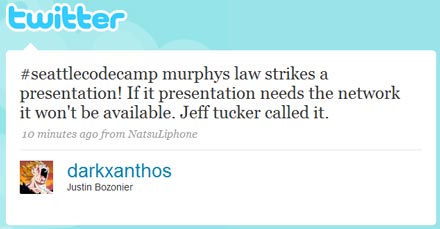
#seattlecodecamp murphys law strikes a presentation! If it presentation needs the network it won’t be available. Jeff tucker called it. ~darkxanthos (Justin Bozonier)
[UPDATE: This post outlines an addition to “The Principles”. The post that started it all is here. The most up-to-date version will be maintained at breakingmurphyslaw.com/the-principles/.]
 A couple weeks ago, when I posted “The Seven Principles of Presentation Disaster Avoidance (Version 0.1 beta)” I knew two things right off the bat (even before all the great reader feedback I received): A couple weeks ago, when I posted “The Seven Principles of Presentation Disaster Avoidance (Version 0.1 beta)” I knew two things right off the bat (even before all the great reader feedback I received):
- The title of the post didn’t do it justice. It was lame. Flat. It used the word “avoidance” for God’s sake. I’ve been kicking around other ideas. Please let me know if you have any suggestions.
- It would be a mistake to put the number of principles in the title because no matter how many I was able to come up with for the initial post, more were bound to follow.
And follow they did.
Here’s the first:
#8 Existence does not equal adequacy.
This somewhat poetic passage from a recent Ratphooey Live Journal post illustrates the principle in action:
I am writing this from a conference center in State College, PA.
A conference center that’s supposed to have wireless internet access.
Two measly bars does not wireless internet access make, my friends.
I had to walk down the hall to get a decent signal.
See what I’m getting at? If you were diligent and called the conference center ahead of time, anyone they allow to answer the phone would have told you that they have wireless internet access (“of course we have internet access”). However, having something and having something adequate to the task at hand are two very different things.
For instance, if you were downloading the most recent version of your presentation, the one containing the emergency, last minute slides with all of mandatory changes dictated by the CEO, and it was 15 minutes before you were due to go on, and you only had two bars, the wireless internet access, for all intents and purposes, might as well not even be there.
Some other presentation requirements that are susceptible to this issue:
- Document duplication capabilities (“We have a copy machine” might mean an obsolete desktop unit without a document feeder that jams on every third page and doesn’t collate/staple). Always be sure to find out where the nearest Kinkos is before you leave.
- On-site AV support staff (“I’m more a sound tech”, he said as he hit the automatic keystone correction button on the projector over and over again trying to figure out why the left edge of the image kept getting cut off.) If it’s you own equipment, you have a responsibility to know it inside and out. If it belongs to the venue, you might be out of luck.
- “Business centers” in that part of the world known more for sipping rum-based beverages on the beach than for supporting high-level business presentations. (Remarkably easygoing hotel manager to distraught meeting planner: “They’re usually open by now, sometimes they don’t come in until the afternoon. Come check back a little later.”)
Just don’t ask if the venue has what you need — get details. Always go and check it out in person if possible.
Remember principle #1: “If you can’t do without it, make sure you won’t have to.”
Great Public Speaking: Tough Venues — “Did you ever present in a barn? How about a bowling alley? How about a community center where drum lessons are being given in the next room? Well I’ve been in all those situations and more and so far I’ve survived the recurring nightmares and waking up in a cold sweat just thinking about them. I’ve been diagnosed with PTVD — Post-Traumatic Venue Disorder.”
 ©iStockphoto.com/arekmalang Web Worker Daily: Laptops and Water Do Not Mix: A Cautionary Tale — “This past weekend, I was on the web and doing some writing on my beloved Lenovo ThinkPad X40 sub-notebook, when disaster struck.”
The AV Report: Plan B, from Earth (back-up planning in action) — “I believe in a solid AV set-up, with all details considered, so that audiovisual presentations (slide shows, audio, video, multimedia, special film screenings, etc) play back in as flawless a manner as possible. However, being an earthling from Earth, I know the gods can be crazy from time to time.”
Jackie Cameron: Memories of a really bad speaking experience — “A couple of weeks later I received a tape of the session – and the audience feedback. I listened to the tape and cringed.”
Presentation Skills: Presentation Stories — “When I agreed to give a presentation to 26 soldiers from the former Yugoslavia about the Tribunal, I had no idea so many things could go wrong in a 25 minute presentation.”
The Experience is the Product: 5 sentences that send your audience lunging for their Blackberries/iPhones — “’OK, hang on a second, having some technical difficulties…’ Projectors are not known for their usability. That said, there aren’t too many variables: a couple types of cables, a couple settings, a few places to look for projection/monitor settings on your laptop. I learned them. If you’d rather waste my time than learn them yourself, I’m a lot less inclined to listen to you.”
The PowerPoint® Blog: Before Ungrouping Chart – Make a Hidden Backup — “For many projects I find myself ungrouping charts for custom animations or any number of other reasons. But what often happens is a need to adjust the chart… oops that chart is now 50+ individual text boxes and autoshapes.”
Make Your Point with Pow’R: Innovative time tips when you don’t have a designated timer — “Do you lose track of time when you are presenting? Every presenter is subject to going overtime and getting off schedule. Going over time is an occupational hazard of public speaking, but you have no excuse for going over time.”
Indezine: Version Hell: PowerPoint 2007 Shadow Problems — “If your presentation uses the Formatting toolbar to add shadows to text, you’ll find that it shows fine when played in PowerPoint 2007. However, any shadows that you add through the Drawing toolbar in PowerPoint 2003 or earlier end up looking horrible in PowerPoint 2007 — this works out more worse when the text is animated — in that case the text animates, but the shadow doesn’t!”
RULESofTHUMB.org: ASSURING SUCCESS — “To succeed against all possible odds, count on at least 1 in 4 things going wrong. In other words, you need a 33 percent margin of safety. If you have to have 30 of something, plan to make 40.”
The Projector Blog recently reported on the first projector with a voice.
The Voice Guidance feature provides ease of use, preventative maintenance updates and a lower total cost of ownership. The voice guidance system in the TLP-X200U directs users with an audible message through the projector’s operating instructions and system warnings, such as the on/off status, lamp life, air filter checks, and cooling fan status.
 They were not impressed. I agree with their assessment that it’s overpriced for it’s specs and the the voice guidance feature is, as they put it, “less than useful.” What I really want to know, however, is how much control do you have over when the projector chooses to speak up? Obviously it will need to be powered up to offer voice guidance, but most of the time I have the projector on, I want it sitting there very quietly, not calling attention to itself, not chiming in while the speaker is making a crucial point. They were not impressed. I agree with their assessment that it’s overpriced for it’s specs and the the voice guidance feature is, as they put it, “less than useful.” What I really want to know, however, is how much control do you have over when the projector chooses to speak up? Obviously it will need to be powered up to offer voice guidance, but most of the time I have the projector on, I want it sitting there very quietly, not calling attention to itself, not chiming in while the speaker is making a crucial point.
Has anyone out there had a chance to demo this projector? If so, please fill in some of the details for us.
Unexpected things projectors will be heard saying in the future:
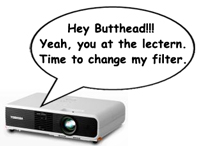
- “Hey Butthead!!! Yeah, you at the lectern. Time to change my filter.”
- “You never take me anywhere nice anymore.”
- “Sorry, I just can’t stay focused today.”
- “Poor Uncle Sony, they said it was death by PowerPoint.”
- “Stop pushing my buttons!”
If your projector could talk, what would it say to you at a most inopportune time?
 Life in the Corporate Theater: Presentation Fashion Tips from an audio guy — “The main doctor arrived and to my dismay, she was wearing a white blouse with Ruffles down the center. It looked pretty, but I knew it was going to cause me problems all day. You might ask, what does the audio guy care about the presenter’s blouse?” Life in the Corporate Theater: Presentation Fashion Tips from an audio guy — “The main doctor arrived and to my dismay, she was wearing a white blouse with Ruffles down the center. It looked pretty, but I knew it was going to cause me problems all day. You might ask, what does the audio guy care about the presenter’s blouse?”
Lee Hopkins: Melcrum Social Media 101 Workshop – reflections — (Note that Lee had a very trying day) “Today was fraught with technological meltdowns whose warning rumblings started yesterday evening.”
Tod Maffin: Audio Slides and the 50% Trick — (Great advice from someone who has obviously done a lot of presenting. Schmoozing pointers alone are worth the read.) “Okay. You’ve done the pre-event calls (see previous chapter), arrived at the venue, and connected with your on-site client. It’s time to set your audio up for the room. I’m extremely particular (read: anal) about my A/V setup because I know how easy it is for things to go horribly wrong — microphone, unexpected camera switching, laptop volume, and all that.”
RecognizedExpert.com: Small Audience In A Large Room — “To start, it’s always better to take care of this potential problem before it’s too late, and I consider “too late” to be once the audience is seated. It is virtually impossible to get audience members to move once they’ve made themselves comfortable in their seat. Worse yet, the moment you ask them to move, they will see you or the person you’ve asked to do your dirty work, as the bad guy. And, as you well know, many of them won’t move no matter how hard you beg them to do so.”
the concert: Singing with a cough — “And then it hit me. My chest started to spasm, and I needed nothing more than to just cough, loud and long. But I absolutely could. not. I held it in, eyes watering and body shaking, for what felt like five minutes but was probably only 45 seconds, until we all broke away and spread to all corners of the stage.”
Fail Blog: Chair Fail (video) — Hope this never happens to you.
Great Public Speaking: Beware when you prepare dry erase boards — “The next day you start your presentation, talk for 15 minutes, refer to your dry erase board comments for several minutes and then you go to erase them. — oops. They might not come off without some serious scrubbing of the board.”
Headrush: Intimations of Imminent Disaster — “People scare me sometimes. Often.”
The Associated Press: Podium gets carried away during Bush toast — “In his haste to honor Bush, Berlusconi accidentally bumped the podium from which he was speaking in the crowded dining room. It fell apart, leaving the grinning Italian to advance on the president with just its top and attached microphones.”
Blue Room technical forum: Cable Length Colours — “The advantage of colour coding over printing the exact length on the cable is that then you have to pick up each cable in a flightcase and read it when looking for a specific length, with colour coding you can easily spot the yellow 5m one you need among the blue 10m cables. ”
ProjectConnections: The Blackberry Maven by Carl Pritchard — “Once upon a project dreary, at a meeting getting weary Over many a rehashed mound of data by a crashing bore, Came a beeping, beeping, gently seeping, seeping through the conference door. ‘Tis only from the hall,’ I muttered. A passerby it must implore.’Â ‘Only hall noise, nothing more.’
gigaom: God & Country Line Up to Stop White Spaces — “Wireless mic users and the National Association of Broadcasters have become increasingly vocal leading up the the FCC vote, claiming broadband service in that spectrum would cause undue interference to microphones and television channels.”
Presentation Zen: I love my Sony LCD projector — “Even if the venue says they will provide the projector, I carry this along now just as a backup.”
Dave Paradi’s PowerPoint Blog: Where to get PowerPoint help — >But where do I go to figure out a question that I don’t know the answer to? Today’s tip will point you to the same sources I use for technical help.”
[UPDATE: “The Principles” is going to be a living document and will be updated and added to on a regular basis. This post is where it all started and the rationale for the project can be found at the end.
The most up-to-date version will be maintained at http://www.breakingmurphyslaw.com/the-principles/.]
1.
If you can’t do without it,
make sure you won’t have to.
Have backups of your slide files, have backup for your critical equipment, have backups for your people. Have backups.
2.
Any rational response to
“What’s the worse that can happen?”
is most likely wrong.
This is mainly due to the fact that the things that can go wrong are not limited by a requirement to be rational. Just ask Wall Street. And don’t forget that the person asking this question usually doesn’t want to know the real answer, they’re just ready to move on.
3.
If you practice like it’s the real thing,
the real thing will seem like a practice.
That’s why they use live ammo in boot camp.
4.
It’s much easier to destroy something by accident
than it is to create something on purpose.
Be very careful around fragile equipment, electricity, icy roads and, perhaps most importantly, the delete key. Especially while pulling an all-nighter. You also want to aggressively seek ways to eliminate as much of the accidental from your process as possible.
5.
The diagram is not the room.
Whether it a conference room, ballroom, or theater — see the space you will be working in for yourself. The diagram provided by the venue will not reveal everything you need to know — no matter how detailed and accurate it is.
6.
If you’re not early, you’re late.
A simple problem that would ordinarily not require anything more than time to fix can become a fatal error when the time isn’t available.
7.
The ways to get it right are few.
The ways to get it wrong, infinite.
It’s always possible that a string of several very small, seemingly unimportant decisions, can lead to a major failure. Be cautious when it appears a choice can be made casually.
– – – – –
Okay, we’ve all been there. We’ve all been caught up in the heat of the moment at one time or another. It usually happens when you’ve been working far too hard for far too long and it’s getting more and more difficult to decide what needs to be done and how to go about doing it. All you want to do is get through the presentation without anything going wrong but there’s some doubt (and usually several competing opinions) about how to make this happen.
The above principles are an attempt to condense the lessons learned from stories I’ve heard and presentation disasters I’ve witnessed down to a useful handful of easy to remember axioms. Think Ben Franklin’s Poor Richard’s Almanacs focused on the presentation preparation process (light purse, heavy heart;
hunger never saw bad bread; a penny saved is a penny yadda, yadda, yadda).
Ideally, they will be memorable enough to come to mind when they are most needed and true enough to clarify challenging situations. I think “pithy” is a good word to describe what I’m shooting for. The insights embodied in these principles do not need to be particularly original or surprising, they just need to provide the perspective, guidance and the modicum of common sense that can lead to the appropriate course of action.
I need you to tell me whether or not the principles above, will actually be useful in real life. Do they capture your experience of the presentation process? Did I miss anything? Do they need to be called something else (I suspect the current title is a little clunky)? Please use the comments or the contact form to let me know your thoughts, ideas, additions or criticisms.
I’d also like to hear from you where you think I should go with this project. I assume it will be living document. What would you like it to look like? Where should I “park” it? Maybe a wiki? A shared google doc?
 - ©iStockphoto.com/Renphoto
My Toastmasters Blog: How Rude: Don’t Be a Content Thief — “The simulated click of the camera captured my attention. Sitting in a conference room, a middle aged man in front of me was snapping pictures of the lecture slides. My attention on the presentation was snapped and I was slack jawed. My thoughts were racing, ‘What is this person doing? Last time I checked, that is not allowed without permission.’â€
Write From Home: Sucking the Suck Out of Corporate Presentations (or, Conversations With Monkeys) — “I knew this guy was in a monkeybutt of a mood from the beginning. He was the one guy who didn’t look me in the eye when I walked in the room. He was the one guy who didn’t want to shake my hand. He sat there, hands folded across his Armani chest, and pouted through the first part of my presentation. Then it was like a bug crawled up his ass or something, because right in the middle of everyone’s good time he stood up and took a big monkey dump on the conference table.”
RBerteig on Flickr: The Missing VGA Cable
— “The solution to this dilema was a carefully bent collection of
paper clips, connecting the pigtail off Andy’s Mac (female HD15)
directly to the back of the projector (also femail HD15).” Gotta keep
this one in mind.
Great Public Speaking: A Breath of fresh air — “You would think all that wind you are blowing on stage would disperse bad breath, but for some reason after speaking for an hour or so, every foul smelling odor from your stomach wants to leap forth to your audience.”
Patricia Sellers: Power Point: Pay the price — “When Billie Jean King, who runs World TeamTennis with Kloss, is prepping for a speech or appearance, ‘She drives us crazy, absolutely crazy, planning for everything and anything to go wrong,’ Kloss said. ‘She’ll say, ‘What about this? What about that? What if this happens?’ By the time Billie gets on stage or on the court, she’s laid out every possible scenario in her mind. And at that point, she’s totally calm.’
Fleeting Glimpse Images: My First and Last Presentation — “I wax nostalgic today. Partly spurred by the article in Slide:ology this week and partly because I recently stumbled upon a cache of ancient binders containing bits of my larval creative efforts. Humbled, I am walking down memory lane to my first presentation and contrasting it with my most recent.”
SLIDE:OLOGY: Rockstars — “A similar thing happens in conference rooms across America when teams gather to prepare for The Big Presentation. All too often, the presenter will run through the slide show and describe the kinds of things he will say to accompany each slide, rather than rehearse the presentation itself. It’s a strange thing to watch.”
spoiledvids.com: Stage Hand Takes Fall During Live TV — No explanation at all on the site. No assurance that the stagehand was okay or that it was just a gag. You have to wonder, how do you prepare yourself to react/recover should something like this happen while your presenting.
Better Communications Results (Lee Hopkins): The ‘To help Lee get to America everything and the kitchen sink is for sale at half price’ post — “I’m selling everything I have at 50% off.” (Hurry, offer ends October 30th.)
Blue Room Technical Forums: Best way to connect to AV rig, Looking for campact flexible kit to play back video
|