Murphy's Law states: "Anything that can go wrong will go wrong." This is especially true and especially painful when there is an audience involved.
|
[A slightly different version of this article originally appeared in the June 2008 edition of the PresentationXpert email newsletter.]
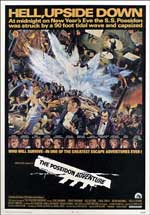 Many people consider the 1970s the golden age of the big Hollywood disaster movie and it’s fair to say that Airport, The Poseidon Adventure and The Towering Inferno are usually the first films that come to mind whenever this genre is mentioned. But disaster movies never go completely out of style and every year we’re offered new opportunities to consider the ways in which things can go completely and terribly wrong. Many people consider the 1970s the golden age of the big Hollywood disaster movie and it’s fair to say that Airport, The Poseidon Adventure and The Towering Inferno are usually the first films that come to mind whenever this genre is mentioned. But disaster movies never go completely out of style and every year we’re offered new opportunities to consider the ways in which things can go completely and terribly wrong.
What is it about these movies that makes them perennially popular?
It’s obvious that people find them entertaining. Let’s face it, there’s something very compelling about watching a disaster unfold (as long as it isn’t unfolding on or around you). These movies also offer lessons or morals that gratify our desire for karmic retribution (“Well that’s what they get for saying the boat would never sink”). And in most cases, no matter how bad things get, in the end there is some sense of triumph over great adversity or some discovery of a previously unsuspected personal strength that lets everyone leave the theater on a typically Hollywood high note.
What does this have to do with giving or supporting presentations?
I’m willing to bet that every person you know who has been in the business for more than a year or so has their own collection of presentation disaster stories.
And these stories share many of the same characteristics that make disaster movies so popular.
If you get two or more of us together you can be sure that stories are going to be told. Many of my favorite memories of being on site working a big event are from the time spend absorbing stories told by old pros who have been around a long time and been through almost everything.
– – – – –
Although these stories share many of the characteristics that make disaster movies entertaining, they also differ from the movies in some important ways that make them even more useful: Continue reading Think of it as an adventure, as in “The Poseidon Adventure”
news.com.au: Porn served up to government officials — “A senior civil servant is facing the sack after pornographic images flashed up as he delivered a powerpoint presentation to government officials in the Solomon Islands.”
Make Your Point with Pow’R: Screen Captures — “Never, ever, demo live websites during a presentation. You run the risk of at least the following, and possibly much more going wrong.”
 ©iStockphoto.com/zoomstudio Great Public Speaking: More on CD ROM Backups of your Program — “I did a speaking gig this week in Vegas and had to use my backup presentation on CDROM. Low and behold, when I opened the presentation it was barely readable!”
Fortify Your Oasis: Know Your Audience — “Have you ever been at a wedding where the best man told what he thought were hilarious stories about the groom – stories that fell completely flat with the majority of the audience?”
MostToast: Don’t Put Toastmasters On Your Resume — “They stopped him after thirty-four minutes; thirty-four minutes of false starts and dead ends. They stopped him after spending thirty-four minutes listening to something that wasn’t closely relevant to the position. Sam had blown the presentation.”
Life in the Corporate Theater: Sonoma — “Moral of the story? Don’t completely shut your sliding glass door on a hotel balcony. I can’t imagine what I would have done if I was on the 12th floor. Also, make sure you have clothes on. I never would have lived it down if I had to climb over to Allen’s balcony in my underwear!”
Corporate Presenter: French Farce — “TF1’s Laurence Ferrari runs into a bit of hot bother with Al Pacino & Robert de Niro earlier this week”
The World: 8 Timely Tips for Pre-Presentation Preparation By Patricia Fripp CSP, CPAE — “The big day has come. You are ready to deliver your presentation. To guarantee your success there are still a few final steps to take before you face your audience.”
The Software Pro: Choosing a Presentation Remote — “Rehearsing with your remote should be a built-in part of your presentation rehearsal to avoid distracting your audience and accomplishing the goal of communicating your message.”
The Grammarphobia Blog: Daised by podiumbrage — “God, I’m turning into a grump, but when it comes to politics and language, abuses get me downright dyspeptic. One common mistake has surfaced during the recent heady convention days. It’s the misuse of “podium†for “lectern.†I suppose I’m a lone voice crying in the wilderness on this one, but the podiumbrage has left me daised.” Good news is it’s now acceptable to use “podium” for “lectern.”
ManageSmarter: The Top 12 Presentation Mistakes — “Mistake #1: Overlooking “Murphy” If it can go wrong, it will go wrong. This mistake basically means that you walk into the room where you’re going to present and something is wrong. LeRoux tells a story about a multimillion-dollar sales presentation to which “Murphy” paid a visit—in the form of missing curtains and a boardroom window overlooking a huge pool surrounded by bikini-clad swimmers (you can guess what the attendees looked at instead of the presenter).”
Okay, so you’re a PowerPoint Guru. You’ve been using it so long, you remember when everyone still thought it was a pretty nifty piece of programming. You remember a time when it wasn’t being blamed for all of the ills currently plaguing our civilization. Every year you score major points with the new interns by showing them how to create custom toolbars. Everyone comes to you when they can’t remember that trick for jumping right to a slide when you’re in show mode. You’re either very happy to be at PowerPoint Live 2008 right now or you’re seriously bummed to be sitting at home missing it.
 ©iStockphoto.com/vm Unfortunately, as this story from PowerPoint expert and author Ellen Finkelstein reminds us, having guru-level knowledge of a particular piece of software doesn’t always help with an uncooperative piece of hardware.
A professor at the local university asked me to give a session to 37 MBA/Accounting students on presenting data clearly. I created the presentation. As I usually do, I created a web page on my site for the students and wrote up a handout for them, so they could download it after the class. I do this so people don’t have to take notes while I present and can focus on listening.
I took home the projector and tested it on my laptop. It didn’t work, and I assumed it was my laptop, because I’ve had problems before using this laptop with a projector. So I borrowed someone else’s computer, borrowed the key to the classroom and came 15 minutes early to test everything out. I set up the projector and it worked fine. As the class came in, I had the first slide up on the screen in Slide Show view. The projector was on a table in front of one of the student desks.
I have to explain that my talk was based around showing the students techniques for making data and concepts clear and visual. So, I was going to spend most of my time in Normal view and let them see how I added an image, formatted a chart, and so on. For this purpose, a handout was useless; they needed to look at the screen to see which tabs I used, and which buttons I clicked. The handout was just so that they could later follow the steps on their own.
The first issue was that the borrowed computer had PowerPoint 2007 while I had written my notes for PowerPoint 2003. Luckily, I know both well enough that I was able to adjust as I went along. I asked how many students had 2007 and how many 2003, and 75% had 2007 (they were new students and had just bought computers) and 25% 2003. So, I adjusted my steps to 2007 as I went along.
I made a short introduction and went into Normal view. At about slide 3, the student sitting nearest the projector decided that the image on the screen was a little askew. He was right. So he moved the projector a little. The image disappeared. He fiddled. He fiddled some more. No image.
I improvised and started talking about general principles. I couldn’t use the whiteboard because the screen was covering it, so I just talked.
The student fiddled some more. Other students came over and tried to help. After about 5 minutes, I didn’t have any more principles and there was still no image on the screen, so I told him to give up. What I did was I held up the laptop and showed it to the students the way a kindergarten teacher reads a page in a picture book and then turns it around to the children to show them the picture. I put the laptop down and did a few operations, explaining what I was doing, and then showed them the result. I expect most of them couldn’t see anything, but they were polite and listened. By the end of the session, which was 2 hours long, my arms were aching from holding up the laptop!
At the end, I promised them that I’d add the actual presentation to my web page so they could download it and asked them to give me a couple of hours after class to get that done. I told them that the combination of listening to me, reading the handout, and using the presentation would give them the information they needed, and I think that was true. But it certainly wasn’t the best option!
Later, we discovered that the projector cable had a bent pin and that was the cause for the problem.
Ellen did all the things you should do when you’re trying to prevent Murphy’s Law from messing up a presentation. She tested the equipment in advance of the meeting. She had backup equipment and it appeared to be doing what backup equipment was supposed to do. She was also great at thinking on her feet and finding ways to work around the obstacles that were presented to her in this particular situation. Being prepared to do that can sometimes be as important as any other precaution you can take. And sometimes it’s all you can do.
Your Turn
Were you ever in a bad presentation situation that was rectified more by your ability to improvise than by any preparation you you did or precautions that you took? Please take a moment to share you experiences in the a comment.
Lots of really great links this week.
 ©iStockphoto.com/michal_edo Fleeting Glimpse Images: Pulling It Off — Rikk Flohr describes his preparation process. Great ideas for avoiding any number of problems. “I double check my laptop for presentation readiness, arrive at my room early, set up and am ready to start on time. Drink a little water. Have your back up mouse, pointer, presentation on thumb drive and any paper notes where you can find them. Great your guests as they arrive and begin working the room.”
A2J: Migraine — “My presentation on Migraine almost caused me a major headache. Everything fell apart in the last minute and then miraculously came back together in the last second!” Good example of how potentially fatal problems string themselves together.
Nury Vittachi: How not to introduce someone 2 — “People were only given the title ‘Moderator’ or ‘Master of Ceremonies’ if they agreed to have their brains surgically reduced to the size of a sesame seed, I said. Their single remaining brain-call contained only one thought: ‘Make speaker look like jerk.'”
Public Speaking Can Be Fun: Being Prepared for the Public Speaking Unexpected — “Three years ago after a 45 mile bike ride driving home on the Mass Pike, I felt a thump. I looked in my rear view mirror and witnessed my bike flying down the middle lane. The bike flew off my roof rack!”
 ©iStockphoto.com/LeggNet Overnight Sensation: The Disinterested Audience — “Of all the different types of hostile audiences out there, the disinterested or uninterested crowd can be one of the toughest to address. There are a number of reasons that your audience can fall into this category, such us being forced to attend the event, so we’ll look at what causes an audience to be disinterested and what you can do to bring them around.”
MostToast: Technical Presentation Worst Practices — “I am pretty sure that this is staged. I am also sure that these types of problems happen on a routine basis.”
Great Public Speaking: DOUBLE CHECK YOUR BACKUPS.
Presentation Coaching Institute: Presentations Rehearsal… Fact or Fiction? — “First let me define a false sense of preparedness. Glancing over your notes or rummaging through your PowerPoint slides for let’s say five to six minutes before a presentation and thinking to yourself what you will likely say is pretty much a recipe for presentation disaster.”
The PowerPoint® Blog: Open PowerPoint in Safe Mode — “This is one of those – I hope you don’t need to do this – actions. But recently one of the computers here suddenly decided it did not want to have fonts work (line spacing was all messed up).”
Pistachio: While I Talked, People Twittered — “The major downside of this trend that I see is that real-time feedback from a small number of people can force a speaker to unintentionally focus on trying to please that vocal few. This is dangerous if the small but loud group isn’t representative of the majority of listeners. It’s human nature to fixate on criticism, and focusing on the comments of a few audience members can throw a presenter off track.”
confessions of a serial theater lackey: Things I Learned During the REEFER Tech — For our readers on the technical crew. “Climbing a ladder during a strobe test is a bad idea. (In my defense, I was already at the top of the ladder before the test started. However, I should not have climbed down once that strobe kicked in).”
bookofjoe: Why steamship captains studied sailing — Thought provoking quote. For me this relates to when we did 35mm slides.
A couple of alert BML readers were kind enough to send me a couple links to share. One is useful in a practical sort of way, the other is useful as well as slightly horrifying:
Marcel Oudejans of Perform! Marketing Solutions let me know about a really good Clive Simpkins article, “How to treat your speaker at an event“.
There’s a time-sequence and often a ‘value chain’ of people involved in a speaker arriving at an event. So let’s back-up to the beginning. Whether you’re a private individual within an organisation, a professional conference organiser (PCO), a speaker bureau or an agent, then in the interests of professionalism, all, or some at least, of the following, needs to happen.
Each of Clive’s suggestions can play an important role in making sure Murphy’s Law doesn’t have a chance to come into play at an event. I strongly recommend that you add everything in this article to your standard operating procedures.
– – – – –
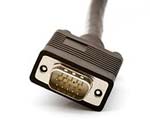 Rick Pillars (it’s a rap productions) sent me a link to to a story that boggles the mind. His only comment — “Check out what happens when you do things you shouldn’t while connected to a projector…lol.” Rick Pillars (it’s a rap productions) sent me a link to to a story that boggles the mind. His only comment — “Check out what happens when you do things you shouldn’t while connected to a projector…lol.”
The crux of the story:
That’s when students said the teacher began viewing the videos.
“He forgot the projector screen was turned on and he started watching porn and we were all just like sitting there shocked that he was watching this in front of the class.”
Students said they did try to signal the teacher but he never looked up from his computer.
Note that it says “videos.” Plural.
Although most of us (I hope) would never think of engaging in this particular behavior while on the job, this story still provides a powerful reminder. It’s scary how easy it is for for the wrong thing to be projected at the wrong time unless precautions are put in place to prevent it. And in a corporate environment, it doesn’t even have to be pornography to be a career ending event. I’m sure we’ve all seen an accidental projection of an embarrassingly personal email, highly confidential memo or spreadsheet that was never meant for public consumption. For heaven’s sake people, be careful when you’re passing the VGA cable around the conference room table. Think about what’s on your laptop’s desktop before you connect.
– – – – –
If you’re an alert BML reader and come across a link to a story or resouce that might be of interest to other, not so alert BML readers, please send it in. You can use the link to the Contact page above or you can email it directly to lee@leepotts.com.
[Photo credit: Andreas Frank]
On this day it is crucial for all of us to remember that the events in our professional lives that we call “disasters” are really very small and silly when we consider the true disasters that many others in the world have lived through.
When I started Breaking Murphy’s Law, I decided to do everything possible to avoid focusing on presentation disasters involving bad PowerPoint. Although there are as many stories about bad PowerPoint as there are PowerPoint presentations, it seemed best to avoid territory that was already being so thoroughly explored by experts better versed in the relevant issues (Andrew Abela, Nancy Duarte, Edward Tufte and Cliff Atkinson for example).
 Ellen Finkelstein is also a member of this group. Her website has been offering tips and techniques on PowerPoint and presenting for over 7 years. She has also written at least three books about PowerPoint. Most recently, she created a survey to measure the depth and breadth of the bad PowerPoint problem. It’s called “What is Death by PowerPoint?” and it’s unique because respondents take one experience they’ve had of Death by PowerPoint and tell that story by answering some questions. She invites everyone to take the survey at http://www.surveymonkey.com/s.aspx?sm=8btaxwZWsjzcfZf2i5Qjog_3d_3d/. Ellen Finkelstein is also a member of this group. Her website has been offering tips and techniques on PowerPoint and presenting for over 7 years. She has also written at least three books about PowerPoint. Most recently, she created a survey to measure the depth and breadth of the bad PowerPoint problem. It’s called “What is Death by PowerPoint?” and it’s unique because respondents take one experience they’ve had of Death by PowerPoint and tell that story by answering some questions. She invites everyone to take the survey at http://www.surveymonkey.com/s.aspx?sm=8btaxwZWsjzcfZf2i5Qjog_3d_3d/.
A basic premise behind Breaking Murphy’s Law is that the sharing of stories is an integral part of our profession. Ellen tells me that she’s sure everyone has had a Death by PowerPoint experience that they would like to rant about. And in case having a chance to rant isn’t enough of an incentive, everyone who takes the survey gets a link to download her 22-page e-booklet, 7 Steps to Great Images.
She’s already received great answers, both sad and funny. For example,
What was wrong with the design? “There was nothing wrong with the design, THERE SIMPLY WASN’T ANY.” W.C., Seattle, WA, U.S.
…
“Presentation was 246 slides, all full page text. Text was 14 points. Text ran to both edges and to the bottom. Text boxes flew in on every slide. The attorney giving the presentation read every single word on the slide.” R.A., Columbus, OH, U.S.
…
What was wrong with the design? “Text was illegible so that the presenter sometimes went for rescue on his printed notes. There were all sorts of unnecessary transition effects with sounds like cat meows, car brakes and thunders. Seems that the presenter had done no homework on the content, had only pleased his own strange aesthetics.” Z.P., Pereira, Brasil
I think it safe to assume that Ellen’s survey is going to confirm that there are only a few ways to do thing right and there are many, many ways to do thing wrong.
Business Tech Talk: 10 tips to avoid PowerPoint disasters — “Presentations, however, almost always have tech hiccups, and this one was no exception. One of the earlier presenters, Douglas Wright, had problems with some of his charts, and midway through Chris’s segment the laptop running the PowerPoint presentation decided to go into hibernation. This sort of thing is funny for the audience and good speakers will make a joke and move on, as Chris and Douglas did, but it can throw you off your stride or happen just as you’re about to make a killer point.”
T J Walker: How should I ask to be introduced? — “Don’t just use a generic on-page bio from your web site or the resume you got to land your last job. What looks like a quick read on paper can seem interminably long and boring to an audience listening to someone introduce you.
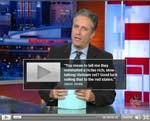 The Daily Show: John McCain’s Big Acceptance Speech — There were some AV and stagecraft issues. You think this would have been ironed out in rehearsal. Skip to 1:22 if you don’t want to watch the rest of the political observations (although they are very funny). [Update: Garr Reynolds of Presentation Zen fame covered McCain’s background graphics in more depth on his blog.] The Daily Show: John McCain’s Big Acceptance Speech — There were some AV and stagecraft issues. You think this would have been ironed out in rehearsal. Skip to 1:22 if you don’t want to watch the rest of the political observations (although they are very funny). [Update: Garr Reynolds of Presentation Zen fame covered McCain’s background graphics in more depth on his blog.]
[Your blood pressure just went up]: 1337 presentation skillz — Shares and critiques a useful YouTube video about presentation problems.
Valleywag: Google Video reborn as tool for awkward corporate messaging — You need to remember to be careful where you put video of your presentations. “The site makes it easy to “privately and securely” download embarrassing intra-office videos so that you can share them with us here at Valleywag.”
TechCrunch: Jason Calacanis’ How To Demo Your Startup (Part Two) — The entire series is interesting but section 14, “How to handle technical issues,” is especially useful.
YouTube: ABC’s Terry Moran Flub About Obama’s Parents on Nightline — Every public speaker’s nightmare.
ValleyWag: Watch RNC delegates trying to ignore Meg Whitman’s speech — Another public speakering nightmare. maybe this is usual behavior for the conventions whenever the speaker is one of the really major party figures. After all, there’s a lot of politicing that needs to get done.
Nicholas Bate is, among other things, a successful author and business consultant. A recent post on his blog not only offered a useful and refreshingly pragmatic pre-meeting checklist, it also dovetailed nicely with a recent post of my own. Nicolas and I both strongly feel that it’s crucial to arrive at the presentation venue early enough to make sure every part of the environment you are about to preform in is in an optimal state. If the first time you step into the meeting room is two minutes before you step up to the lectern, you better be prepared for any number of things to go wrong. The story Nicholas was kind enough to share illustrates how showing up the day before made it possible to get a little extra sleep:
As you will know from Lee’s posts if there is one thing which enhances your chances of a great presentation, it’s preparation. And that’s certainly something I am committed to when I am delivering a work-shop or key-note. The preparation has two parts, ideally. Part 1: a quick ‘recce’ of the room the previous day/evening just to identify any surprises/challenges and get those resolved. Part 2 is getting into the room prior to the delegates to set up and get all perfect for them. This ritual has become tried and tested for me and hasn’t let me down, identifying many problems with enough time for them to be resolved.
Several years ago I was doing a lot of international travel and had just flown back from Boston, USA to the UK (my home). Poor diary management on my part meant I arrived back in the UK the day before my next work-shop. I arrived late at the location, gave the room a once-over and with the hotel staff sorted a lot of issues. Then went to bed exhausted, knowing we started at 0900. I awoke at 0840 having slept through two alarms! I jumped up, showered and grabbed my materials, ran down the corridor and arrived in the room at 0855. We started on time at 0900. The work-shop went brilliantly.
The lessons?
- The prior-day check up saved my skin. It’s worth doing if you can.
- Jet-lag can cause extreme exhaustion: set plenty of alarms!
- Manage your diary to avoid back-to-back big events: your mind/body needs some down-time.
- BUT here’s the real lesson. I had no time to do my normal prep on that morning, run through my notes etc., but it went went really well, anyway-which was a real lesson to me that we can over-prepare. That is, if we basically know our stuff (which we should do, of course!) a ‘flow’ state can be reached where by people get an ‘even better’ experience: more real, more connected. Athletes call this being ‘in the zone’ of course.
Something to think about!
Thanks to Lee for inviting me to post
I usually make a point of trying to take a some time to chat with the people who work for the venue when I’m on site. I like to hear their stories about the unusual things they’ve seen happen in the meeting rooms. It never ceases to amaze me how often their stories are about speakers that come bustling into the meeting room minutes before they are scheduled to go on (which I guess means it actually isn’t all that unusual). They hand off their slides to the AV crew on a thumb drive hoping against hope that they will project correctly. They stop for a second so the sound guy can slap on a lavalier (sound check, who has time for a sound check?). They have no time to familiarize themselves with the remote control, the stage, the podium. At this point it’s far too late to change or fix anything that might detract from the audience’s experience. This is the situation Nicholas would have inadvertently been in if he hadn’t taken time to check things out the night before.
Your turn:
Has there ever been a time that you wished there was more time devoted to on-site, pre-presentation preparation? Were you ever really, really glad you had a chance to spend extra preparing? Please share you experiences in a comment to this post.
|


