Murphy's Law states: "Anything that can go wrong will go wrong." This is especially true and especially painful when there is an audience involved.
|
Fortify Your Oasis: Presentation party pieces — “Most trainers and skilled presenters have a couple of these schticks that they can pull out at the drop of a hat. It’s a very good idea, because you never know when you are going to have to fill some ‘dead air’ because of a technical hitch or a late arrival. Steve Jobs illustrated this really well in his January 2007 keynote. His remote clicker stopped working and so did the backup.”
Sales and Marketing Manager.com: Sales Clown & — “Two selling blunders from Dan Seidman of SalesAutopsy.com. A couple guys drink slurpies before a call. And a former Xerox rep memorizes her pitch for a disastrous presentation.”
LinkedIn Answers (Michael Seidle): What is the worst presentation gaffe you’ve ever seen?
Great Public Speaking: CHECK EACH SEAT and SAVER LINES.
Learning as I go: The Day In Which I Spoke In Front of 200 People — “So, about ten minutes before a company-wide presentation is being made, it has come to our attention that there is no moderator. By the time I’m found, I’m told that I will need to do it. Uh. Crap. Me is not a public speaker as I will skipsy all over my words or start to babble with some weird fillers. No way. I cannot remember the last time I spoke to a room with more than six or seven people. 200? No.”
Communication Skills For Technical Staff: 5 Ways To Deliver A Disastrous Presentation
Control Booth Discussion Board: Human Stupidity — Photos of dangerous things witnessed during meeting setup and backstage. Apparently there’s a lot of things you shouldn’t do with ladders, fork lifts and power cables.
Overnight Sensation: Public Speaking Success: Death by Time Limit – Tip for Trainers — “The point is that if you’re supposed to end at a certain time and you don’t, you’ll notice the energy level of the room suddenly drop.”
Valley Wag: IAC building power outage kills New York tech meetup, spares us all — “New York wantrepreneurs preparing for a night of rejection and glazed looks can relax — tonight’s New York Tech Meetup is canceled due to a power outage at IAC.”
Terrific Public Speaking and Presentation Skills: How Many People Will Speak at Your Funeral?
 Rick Pillars and I had been exchanging comments related to an earlier post (Four words you don’t want to hear coming from the video conference room at 7:00 am) until WordPress ate his last response: Rick Pillars and I had been exchanging comments related to an earlier post (Four words you don’t want to hear coming from the video conference room at 7:00 am) until WordPress ate his last response:
I am more of a high res video specialist so I don’t pretend to know audio all that well. However, I am pretty sure that neither blowing or tapping is very good for the condenser mic. Spitting is ok. I know an audio engineer who gets really tweaked when an AV tech (someone who he thinks should know better) does either of those things.
Other things that you hope to not ever hear again:
- “Uhmmm, you know that Beta roll you wanted up next, I accidentally recorded over it.”
- “Oh crap, I just deleted half his slides and then hit save.”
- From the podium, “Guys, that’s not my presentation.” “No, not that one either.”
I don’t know about you, but each of those made me wince a little bit. What words do you never want to hear ever, ever again?
Speak Schmeak (yet again):Â The power of language (or, how I got in trouble for saying “pee”) — “But it has revived an old question for me: How far can you push the comfort level of your audience? ”
slide:ology:Â Tips for Remote Presenters — Great tips from Nancy Duarte for avoid problem while doing a webinar. “When delivering a presentation online, each application used to display your content is very different. Host a dry run of your presentation in which you click through ALL your slides. Many of the applications lose transitions, builds, and animations. What works in PowerPoint may not work in the application hosting your presentation.”
Execupundit.com: What Can They Do To You? — “Somewhere I read about an executive who calmed the fears of an associate who’d blundered by telling her, “What do you think they (upper management) are going to do? Burn down your house? Take your children? The most they can do is fire you.”
Arunn Narasimhan:Â Decorum at an Academic Interview Presentation — “The Laser pointer used by the nervous candidate should auto turn off whenever it is pointed away from the board and in particular when the candidate turns and addresses the gathering.”
Toastmasters & Etc.:Â Let’s All Introduce Ourselves… — “Do you want to start out a meeting with “Let’s all introduce ourselves” at the beginning? I’m not a huge fan of this in general because it can get kind of out of control time wise (or very out of control), even with a small crowd, unless you’re careful. Three little anecdotes about this follow.”
Speaking about Presenting: How to manage unruly question time — “Ask each questioner to state their name before they ask their question or make a comment. They’re likely to behave better.”
CenterNetworks: I’ve Had Enough of “Live” at Conferences — “When I spend thousands of dollars and my time to attend a conference, I am really not interested in watching the Qik CEO broadcast the session live to everyone without paying attention to what’s going on in the moment. I also really don’t give a rats ass what people outside the conference think of what’s going on inside the room. I want to have the speaker’s full attention. I didn’t have that today – not by a longshot. And again, I am using this session as an example but the issue is much more widespread.”
Working Blue:Â They tried to make me go to conference, and I said NO, NO NO. . . — “I’m slated to give a brief talk to grad students about delivering conference papers, so I thought I’d start with the usual “conference blunders” routine. There are some immediate biggies that come to mind, but I know I’m overlooking some more subtle problems of conference paper downers. Any that I’m missing? Here’s my list:”
Seven Red: Top 20 4C’s Presentation Mistakes (Part 1) and Top 20 4C’s Presentation Mistakes (Part 2) — “The Technophile – I see you there messing around with your brand new MacBook Pro. You’ve got the A/V hook-up working, and you’re testing out the video. You even brought those portable speakers so that we hear the audio clearly. Good. I’m the last person to complain about a little tech stuff at the presentation. But why, why I ask you, must the video be longer than your explanation of why I’m supposed to care about it?”
 As you may remember from an earlier post, my first real job was at a McDonald’s. Started the day after I turned sixteen. You might also remember that I got into some trouble because I didn’t deal with burning my fingers in way that had approval from corporate headquarters. They were funny about stuff like that. As you may remember from an earlier post, my first real job was at a McDonald’s. Started the day after I turned sixteen. You might also remember that I got into some trouble because I didn’t deal with burning my fingers in way that had approval from corporate headquarters. They were funny about stuff like that.
They were also very, very specific about how every product that crossed the greasy steel counter — the fries, the milkshake, the secretive big mac, even the most humble hamburger –Â came into being.
 It began with the burger flipper’s tools-of-the-trade. They were to be arranged just so. You always put the spatula in one specific place. The bins with the pickles had to be all the way to the left with bin holding the now reconstituted. formally dehydrated onions were always next. The strange thumb-controlled funnel thingy that deposited exactly the right amount of ketchup was always in exactly in the same place, in it’s holder, on the end of the counter. The mustard funnel thingy was always to its right. At least that’s the way they did it back in the eighties. It began with the burger flipper’s tools-of-the-trade. They were to be arranged just so. You always put the spatula in one specific place. The bins with the pickles had to be all the way to the left with bin holding the now reconstituted. formally dehydrated onions were always next. The strange thumb-controlled funnel thingy that deposited exactly the right amount of ketchup was always in exactly in the same place, in it’s holder, on the end of the counter. The mustard funnel thingy was always to its right. At least that’s the way they did it back in the eighties.
In fact, they were even more picky, if you can believe it, with the way you actually put the burgers together. There were videos for God’s sake. Written tests.
The one part of the intricate construction process that’s stuck with me all these years is the importance of putting the mustard on the bun before the ketchup. If I remember correctly, they told us that this kept the mustard from coming into contact with the meat which burned it chemically and gave it a funny taste. Who knew?
And pickle slide placement, don’t get me started on pickle slice placement.
All this formality might seem silly, but being forced to be highly regimented in something as simple as making a hamburger was actually very useful. It was great when you were suddenly in the middle of a huge Saturday afternoon rush and everything was exactly where it was supposed to be and it almost became unnecessary to think about what you had to do next. As things got busier, and the shift ground on and on, and the brain got more tired, it was possible to enter a zone where the entire process flowed effortlessly out of a combination of muscle memory and mental habit.
What the heck does this have to do with presenting?
In the grand scheme of things, providing a good presentation experience is almost always more important than providing a good hamburger. So if someone is willing to put all that time, effort and thought into the process of serving up a Whopper, shouldn’t you be willing to apply a little additional rigor to thinking about how you go about preparing to do what you need to do as a presenter (or as someone helping a presenter)?
Are there parts of your preparation process that you haven’t given any thought to at all?
There’s a crucial file on your laptop, the PowerPoint for Monday’s presentation. Do you know exactly where it is? Is it on your desktop? If it in a folder, which one? Can you instantly and easily distinguish it from any other file that might be in the same folder? Are you absolutely certain you have the most current version?
You’re given a couple hours at most to set up. And the room layout doesn’t come close to matching the diagram they emailed (you didn’t do a site visit?) and you need to put the short throw lens into the projector. Quickly. Do you know exactly which case it’s in? Is it still out in the truck? You’re probably going to need a screw driver. Where is it?
Do you have a documented (or at least habitual) setup routine that will help save your butt when everything else is going completely to hell in a hand basket? Like that time. You remember. The snowstorm? The delayed flight? Getting to the hotel two hours before call time? Stiff necked, sleep deprived and brain dead but the show still had to go on.
Have a plan, have a routine, know how to find exactly what you need exactly when you need to find it. Or be prepared to find yourself going from being under fire to working the deep fryer.
Thanks for stopping by.
Links for subscribing to Breaking Murphy’s Law via email or and RSS reader can be found to the left.
To get an idea of what this site is all about and how it came to be: I fought the law…
Publishing schedule: I usually publish the main post Wednesday, Thursday or Friday. Over the weekend I’ll post a link roundup called “The What You Might Have Missed List.”
Comments are always welcomed and encouraged. You are also welcomed to contribute your own presentation disaster story by clicking on the Contact link above.
(Diigo bookmark list)
Speak Schmeak: Don’t waste time talking about time — “She didn’t say it just once. In the course of her 20-minute presentation, she mentioned that she didn’t have enough time about five times.”
Loot Ninja: Konami Exec Fails at Her Own Game — “This lady is a Senior Product Manager, but has some of the worst microphone skills I have ever seen. She starts her talk by calling the crowd “lame”, that should get everyone into it. … Overall this lady needs to be booted from public speaking and never allowed to play a video game in front of a crowd.”
The AV Report: Would You Like a Mac Dongle With That? — “When I asked three (3) Mac users if we could try a Mac to run the slides from, not one of them were able to do it because they didn’t have their Mac VGA dongle with them! It’s just one more item to add to a checklist, but often forgotten about. I’ve seen three versions of this dongle/adapter – DVI, Mini-DVI and Micro-DVI! Which do you have?”
Shane Gibson: Blogathon 2008 – Entry #1 – Murphy’s Law — “What this means is if you are going to a clients office to demonstrate software or a web application we must assume and prepare for the following circumstances.”
Pro Humorist: Presentations: Fast Tip — “If you get the two muddled up, as people invariably do, then you’ll find yourself having to get permanent marker off whiteboards. Not fun.”
Face2Face: Privacy? What’s that? — :Cindy relates the tale of an association that found something from their meeting on YouTube that they really, really didn’t want to be out there for the world to see.”
Man In The Mirror: Check This “Avoid At All Costs” List.
 A couple weeks ago, I wrote about a time when the simplest of technologies, something we rarely give a second thought, gaffer tape, unexpectedly failed to do its job and caused a great deal of trouble. Geetesh Bajaj (an Microsoft PowerPoint MVP who also runs the incredibly useful site Indezine — “a platform for PowerPoint presentations, presentation software, image editing and clip media”) has been kind enough to share another story that again strongly suggests we need to think about even our humblest tools a little more often and a little more rigorously: A couple weeks ago, I wrote about a time when the simplest of technologies, something we rarely give a second thought, gaffer tape, unexpectedly failed to do its job and caused a great deal of trouble. Geetesh Bajaj (an Microsoft PowerPoint MVP who also runs the incredibly useful site Indezine — “a platform for PowerPoint presentations, presentation software, image editing and clip media”) has been kind enough to share another story that again strongly suggests we need to think about even our humblest tools a little more often and a little more rigorously:
There are many things you can do to avoid presentation disasters – yet there’s always something new that you learn each day.
When I got a new MacBook Pro with OS X Leopard, I knew I wanted to use this machine for my next presentation. Now my next presentation happened to include a training session on Microsoft PowerPoint 2007 and my entire audience was working on a Microsoft Windows platform (and not the Mac). Unperturbed, I installed a copy of Windows Vista on a new partition created by Boot Camp. Everything worked great – I also had PowerPoint 2007 working on Vista and it seemed to be working so much quicker than my older laptop. When everything works so flawlessly at the first go, you know there’s something wrong you have missed out somewhere!
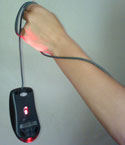 Well, that something ended up being the right-click option. The MacBook Pro has no right-click button. I could plug in a regular two-button mouse but it seemed too much to do when I already had the receiver for my remote plugged in – and for some reason, the mouse and the remote were not too happy with each other. It wasn’t a happy thought to use my older laptop again – and at this point of time, the older machine seemed like an archaic dinosaur that was so slow (funny how perceptions change in one day). Well, that something ended up being the right-click option. The MacBook Pro has no right-click button. I could plug in a regular two-button mouse but it seemed too much to do when I already had the receiver for my remote plugged in – and for some reason, the mouse and the remote were not too happy with each other. It wasn’t a happy thought to use my older laptop again – and at this point of time, the older machine seemed like an archaic dinosaur that was so slow (funny how perceptions change in one day).
Trust me – it’s not too easy to do advanced tasks in PowerPoint 2007 without the right-click – and even Shift + F10 wouldn’t work as a right-click here – the equivalent on the MacBook Pro was Fn + Shift + F10. By the time I managed to press all those three buttons, my cursor was elsewhere.
Luckily, the Internet saved me – a quick search got me pages where there were many, many users who faced the same problem. One user recommended a free program called Apple Mouse – this lets you Ctrl-click to simulate a right click. One quick download and five minutes later, everything worked great again.
So what’s the lesson I learnt here? That’s got to be that one needs to test all the obvious and unobvious issues before using them in a presentation environment. Imagine you are presenting now, and switch on your laptop and do all tasks you might have to do later. Even if you are in another city, time zone, or continent – it’s a good idea to use the same combination of presentation, laptop, and remote to test the flow. And even if the projector may be different, do plug it in if you have access to one.
We normally check the projections, the room, the lighting, even the cables and the sound systems. But for all you know, there might be a problem area that’s not as obvious! And maybe that’s staring at you now.
Overnight Sensation: Three Ways to Improve Your Speech Delivery — “In general, as part of your speech preparation, try to anticipate the things that can adversely affect your speech. Knowing that computers and projectors are prone to technical glitches, wait staff don’t always remember to not clear plates while you’re talking and audience members may not always be respectful can help you adequately prepare for potential problems.”
Art of Speaking Science: What if you can’t pronounce their name?
Zallas Technologies: Will You Pass the Flinch Test? — “There is a little test that professional buyers give to every salesperson. It is a test to see if they are confident in the price they presented. They call it the flinch test.”
Make Your Point with Pow’R: What obvious answers are you overlooking? — “As presenters, we get so used to the routine that we overlook the obvious and jump straight into complex solutions for simple problems.”
Software Safari: User Conference Overload: Bad Software Conference Activities We’d Like to See Disappear –If your people are giving presentations like this, you’re asking for problems.
 Laura Bergells has been active in internet marketing since before most people realized that marketing on the internet was possible. She’s given many presentations and has witnessed many more. Her highly-regarded blog, More than PowerPoint… has been going strong for five years now. She also happens to be a really terrific storyteller and was kind enough to share the following beverage meets business nightmare: Laura Bergells has been active in internet marketing since before most people realized that marketing on the internet was possible. She’s given many presentations and has witnessed many more. Her highly-regarded blog, More than PowerPoint… has been going strong for five years now. She also happens to be a really terrific storyteller and was kind enough to share the following beverage meets business nightmare:
Years ago, my boss nervously entrusted me to give an important presentation. My boss was nervous for two reasons:
1) I would be presenting our project for final approval to the ultimate decision maker — the VP of Investor Relations at our company’s our largest client.
2) I have a flamboyant style and goofy sense of humor.
Now, I hadn’t yet met the VP, but knew her by reputation. She is impeccably poised and polished – a highly sophisticated intellectual.
Of course, I know there’s a time and place for goofy humor — and this wasn’t it. Nonetheless, my anxious boss saw fit to lecture me:
“She doesn’t suffer fools, Laura. So reign in your personality. Dial it down. This is our only chance, so don’t blow it.”
Armed with that oh-so special warning, how could anything go wrong? Jinxed, I tell you!
I drive 2 hours for the meeting. When I arrive, our client is on the phone & tells me she’ll be with me in five. I walk down a narrow hall to find a washroom to refresh myself.
As I do, a man with 2 steaming coffees in his hands walks briskly towards me. However, his head is turned over his shoulder and he’s yelling to someone far behind him.
Twelve ounces of scalding coffee hits the front of my white blouse. I howl in pain and run to the washroom as the man tries to initiate a conversation about how sorry he is.
I could care less about how sorry he is. I have bigger issues — burning skin, ruined shirt, no change of clothes, miles from home, an important presentation to deliver in 5 minutes, a nervous boss, and a VP who doesn’t like fools.
With all of my problems spinning in my head, I spend 5 minutes in the washroom failing to repair the damage to my skin and blouse. I come out looking like a try-out for the world’s worst wet T-shirt contest.
Taking a breath, I march into the VP’s office. I grin idiotically through the pain and cheerfully announce,
“Well, I’m back!”
Her mouth drops. She asks what the hell happened. When I explain, she is filled with nothing but pity for me. She even offers to loan me one of her shirts (She’s 5 foot-nothing, I’m 6-foot-one. I thank her, but explain that it probably wouldn’t work out.)
I go on to give the presentation, looking like a hot, disheveled tramp instead of a polished professional.
I made the sale.
Pity sale! But I deserved it!
And more importantly, the woman and I are still friends to this day.
Turns out that yes, she’s a polished, sophisticated intellectual — but she’s human, too. People tolerate mistakes better than our frazzled imaginations let us believe.
But since then, I’ve learned to ALWAYS travel with a change of clothes…just in case!
Since I’m more involved with the AV-slash-stage-crew type stuff, I tend to focus making sure the presentation files and the equipment is backed up in case something happens. Have to admit I haven’t given much thought to backing up wardrobe. But if my presenters are operating in an environment where there’s no such thing as a “pity sale” I guess I need start thinking about it. Having a wardrobe malfunction of any kind can seriously throw the confidence and perceived credibility of even the most experienced speaker.
Thanks again, Laura, for being brave enough to share this story with us. I’d like to remind the other readers of this site that they are welcomed and encouraged to submit any stories or anecdotes they have relating to presentation disaster or presentation disaster narrowly averted. You can be fully credited or remain safely anonymous, whichever you prefer. Come on folks, we all know you want to tell somebody what happened. Just click on the “Contact” tab above to get in touch.
Nicholas Bate: 9 Things Not to Say in your Presentation — Brilliant.
The Eloquent Woman: testing the kindle on the lectern — “Here’s what I learned about what you should expect when using this new device in a live setting, from preparatory steps to actual use.”
Speak Schmeak: When audience members attack — “Do you ever feel like an audience member is attacking you when they ask challenging questions during your presentation?”
Linkedin Answers: Care to share your most embarrassing, awkward, or unusual speaking experience?
Law.com: Peaks and Valleys of PowerPoint Presentation — “What’s the worst mistake you’ve ever made (or seen) in a presentation using Microsoft’s PowerPoint?”
Corporate Presenter: TV Presenters and animals — “Ouch!”
Presenter Gold: White Death on the Podium — “And yet in a presentation situation, many of us put black text on white screens. I want you to think for a moment about what that’s doing to the audience. It’s been described as trying to read the lettering on a switched-on light bulb.”
Live Musician Central: Settle Your Nerves – Dealing With Stage Fright — “I’ve played with guys that were throwing up before every gig because they got so nervous.”
Services Safari: Delivering a Great Keynote Presentation Part 1 – The Delivery –“I know a person’s a bad speaker when I can imagine my 14-year, with absolutely no advance preparation, could be way more entertaining with the same material.”
Nury Vittachi: — I got the public speaking blues — “I know about these things. Somewhere on earth there is an “Institute of Introducers” at which citizens have all detectable grey matter surgically removed. They are then released back into the wild as certified Masters of Ceremonies.”
Web Strategy by Jeremiah: Fail Fast — “I screw up a lot, always have, always will, but what matters is what I do next. My first presentation to a Forrester client was a total F-up.”
Indexed: A real spectacle. –“Sweating, staring, crowds.”
Make Your Point with Pow’R: Pre-Presentation Speaking — “Remember to speak before your presentation. In some cases, even before you arrive at the venue.”
Jessica Hatchigan’s speechwriting blog: Time Matters: Scheduling Your CEO’s Speeches — “Do you have the option to choose the time of day your CEO will deliver his/her speech?”
Great Public Speaking: Public Speaking : SEATING TIPS
Linkedin Answers: The Un-Planned question – the impromtu – throws the best of us, but what are the toughest situations you find yourself confronted with?
9 Months to birthing my BESTSELLER!: Two Words that Make Most Audiences Cringe! — “Which brings me to the last lesson. Do Not, I repeat DO NOT do what I did (you’d have to be really brave or crazy!) Do not use language that will turn some or most of the audience against you!” (Slightly NSFW image)
Charli Jane Speaker Services: Top 10 ‘do nots’ when working with meeting planners.
|